
by Tsvetelina Illieva | Aug 4, 2023 | How To's
HOW TO CREATE TEMPLATES WITHIN R4I WRITER Within this three minute video, Reeta will demonstrate how you can create a Data Module Template for your selected schema. Once the template has been created, all the Data Modules will contain the content that has been built...
by Tsvetelina Illieva | Aug 4, 2023 | How To's
HOW TO BUILD DEFAULT TABLES AND UTILIZE THEM WITHIN R4I WRITER Within this three-minute video, Reeta will demonstrate how you can build standard table formats that are required for your S1000D Project and how users can access these default formats when they are...
by Tsvetelina Illieva | Aug 4, 2023 | How To's
HOW TO CHECK IN & CHECK OUT A DATA MODULE FROM THE CSDB REPOSITORY WITH R4I WRITER During this video, Reeta will demonstrate how with R4i Writer, you can directly access the R4i CSDB for fast check-out and check-in to the S1000D repository. Watch this three-minute...
by Tsvetelina Illieva | Aug 3, 2023 | How To's
HOW TO CREATE A DATA MODULE WITHIN R4I WRITER During this video, Reeta will demonstrate how with R4i Writer, you can quickly create a new data module from the fully installed and available XML S1000D schema set. Watch this three-minute demonstration to witness for...
by Tsvetelina Illieva | Jul 14, 2023 | Webinar
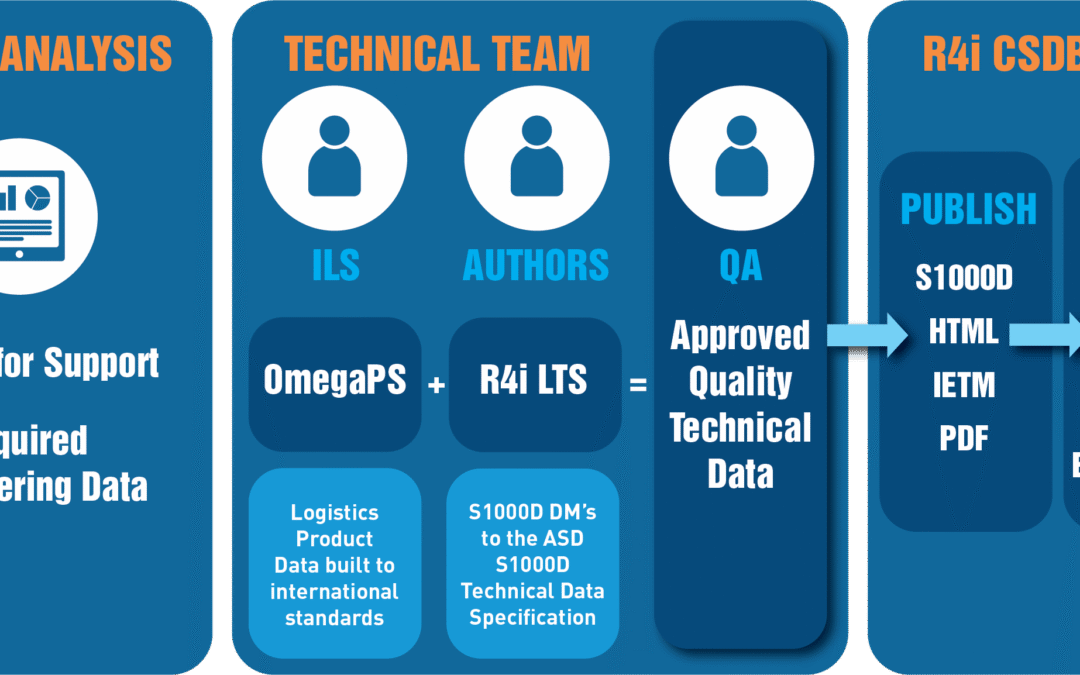
R4i LTS is a powerful productivity tool that takes engineering content contained within a Logistics Product Data (LPD) database and re-uses it to dynamically generate compliant technical data to the ASD S1000D specification. During this webinar session Tammy and Reeta...